What Is Version Control? (Git in Plain English)
It's an unlimited undo with labelled checkpoints — the safety net that lets you experiment boldly.
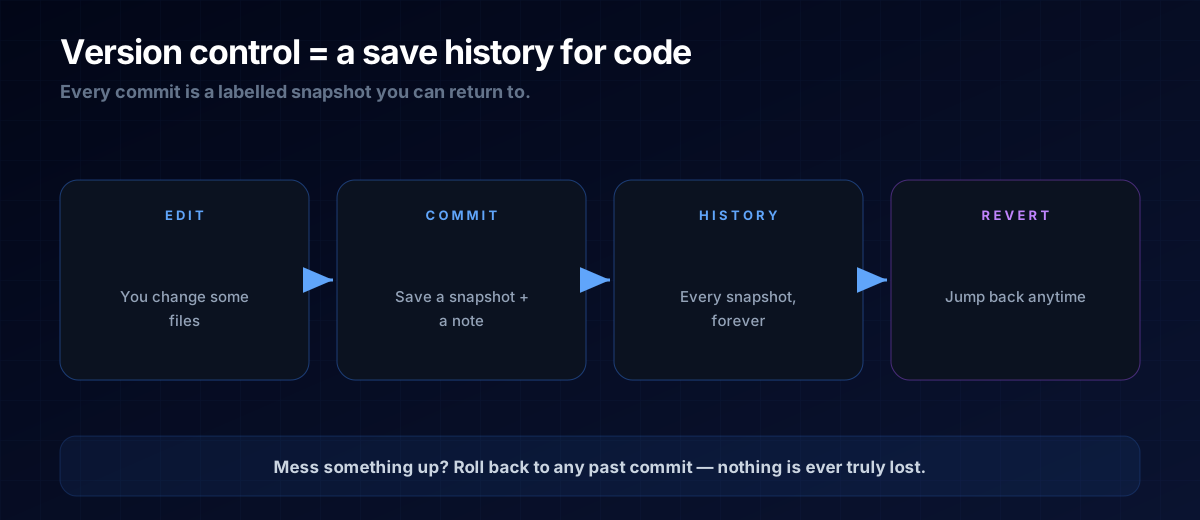
Imagine writing a long document with a save button that never overwrites — every save is kept forever, labelled, and you can jump back to any of them. That's version control, and Git is the tool almost everyone uses for it. For a vibe coder, it's the safety net that lets you try things without fear.
Commits: Labelled Snapshots
You make some changes, then commit them — that saves a snapshot of every file plus a short note ("added the tip calculator"). Each commit is a point in history you can always return to. String them together and you get a complete, time-stamped story of how your project grew.
Why It's a Superpower
Two reasons. First, fearless experimentation: try a wild idea, and if it breaks everything, roll back to the last good commit in seconds. Second, memory: you (and your AI assistant) can see exactly what changed and when, which makes fixing bugs far easier.
THE ONE-LINE VERSION
Version control keeps a labelled history of every change, so you can roll back mistakes and never lose work.
The Words You'll Hear
- Repository (repo) — the project folder Git is tracking.
- Commit — one saved snapshot with a note.
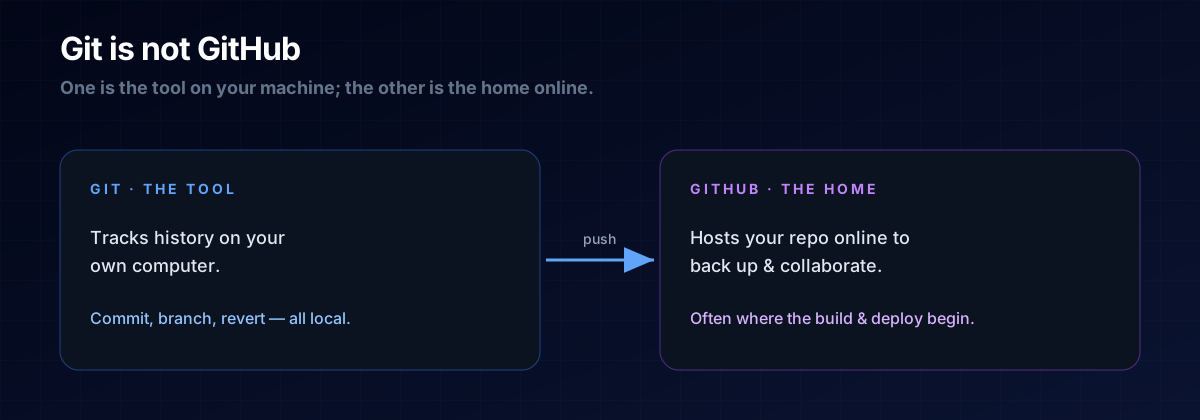
- Push / pull — send your commits to a shared home (like GitHub), or fetch others'.
- Branch — a parallel line of work you can merge back later.
You can drive all of this through your editor or by asking your AI assistant to run the commands. The concept matters more than memorising the syntax.
A: Even solo, it's worth it — a single bad change can otherwise cost you hours. Committing at every working milestone is cheap insurance.
A: No. Git is the tool that tracks history on your machine; GitHub is a website that hosts your repos online so you can back them up and collaborate.
The Prompt Template
Let the AI run the commands — you just set the habit:
Set up version control for this project.
Make an initial commit, then commit after each working change
with a short, clear message describing what changed.
Next Steps
Version control pairs perfectly with verifying changes — read How to Check AI-Written Code so each commit you keep is a working one.