What Is an LLM? (Tokens & Context Explained)
Understand the engine you're driving — what an LLM actually does, and the two words (tokens, context) that explain most of its behaviour.
You'll vibe code better if you understand, at a basic level, what's under the hood. A large language model (LLM) isn't magic and isn't a search engine — it's a very sophisticated next-word predictor. That single idea explains most of what it does well and where it slips up.
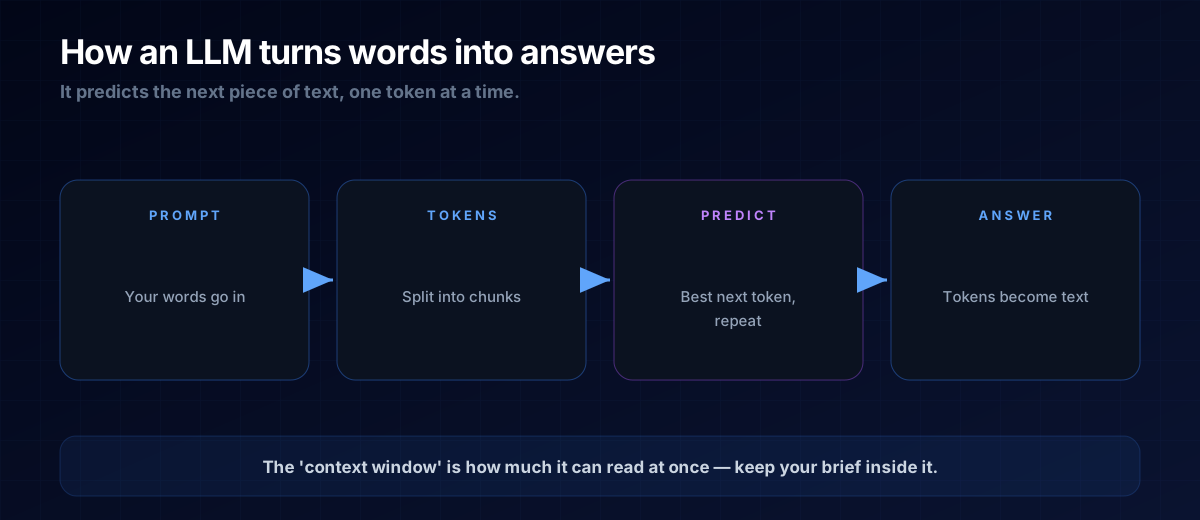
It Predicts the Next Token
An LLM reads your text, breaks it into tokens (chunks roughly the size of a short word or word-part), and repeatedly predicts the most fitting next token. Do that thousands of times and you get a full, coherent answer. It's not looking anything up — it's generating, one piece at a time, based on patterns learned from huge amounts of text.
The Context Window
The context window is how much text the model can "hold in mind" at once — your prompt plus its reply. If a conversation gets very long, the earliest parts can fall out of view. That's why a focused, well-structured brief beats a rambling one: it keeps what matters inside the window.
THE ONE-LINE VERSION
An LLM predicts text one token at a time. The context window is how much it can read at once — keep your brief inside it.
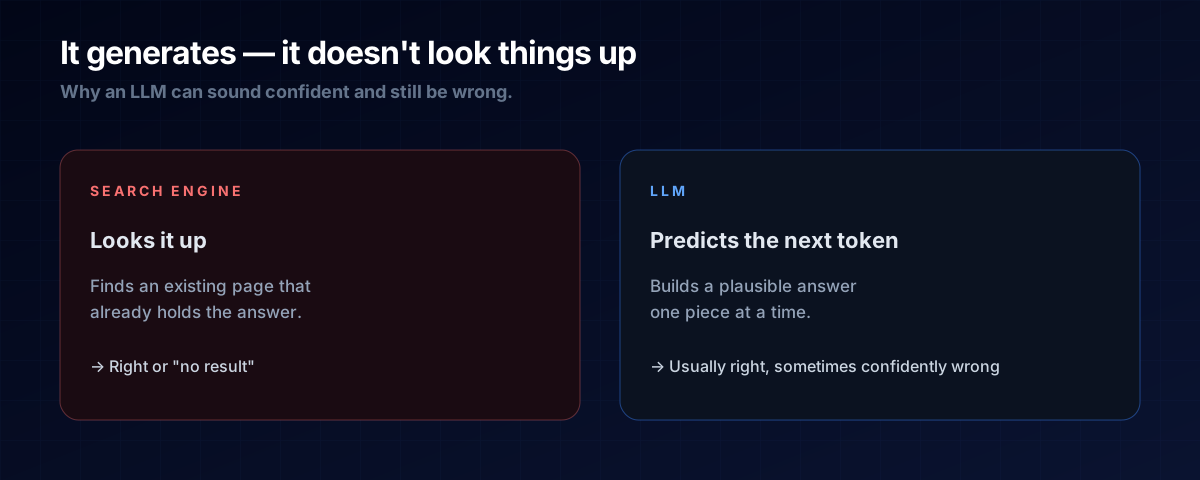
Why This Explains Its Quirks
Because it generates rather than retrieves, an LLM can sound completely confident while being wrong (a "hallucination"). It's predicting plausible text, not checking facts. That's not a reason to distrust it — it's a reason to verify its output, especially for code that touches money, data, or security.
A: By default, no — once the context window resets, it starts fresh. Anything it needs to know, you provide in the conversation.
A: It generates plausible text rather than looking up facts, so it can produce confident-sounding errors. Always verify anything important.
The Prompt Template
Because the model only "remembers" what's in the context window, re-orient it whenever a chat gets long or starts to drift:
Quick recap before we continue.
What we're building: <one line>.
Decisions made so far: <bullet list>.
Constraints to keep: <bullet list>.
My next request: <what you want now>.
Next Steps
Now that you know how it thinks, learn how to direct it in How to Brief an AI and how to trust-but-verify in How to Check AI-Written Code.