What Is a Database? (Like a Smart Spreadsheet)
If a spreadsheet and a search engine had a baby, you'd get a database — structured storage your app can ask precise questions of.
Every app that remembers anything — your account, your saved items, a list of businesses — keeps that information in a database. The word sounds heavy, but the mental model is something you already know: a spreadsheet.
Tables, Rows, and Columns
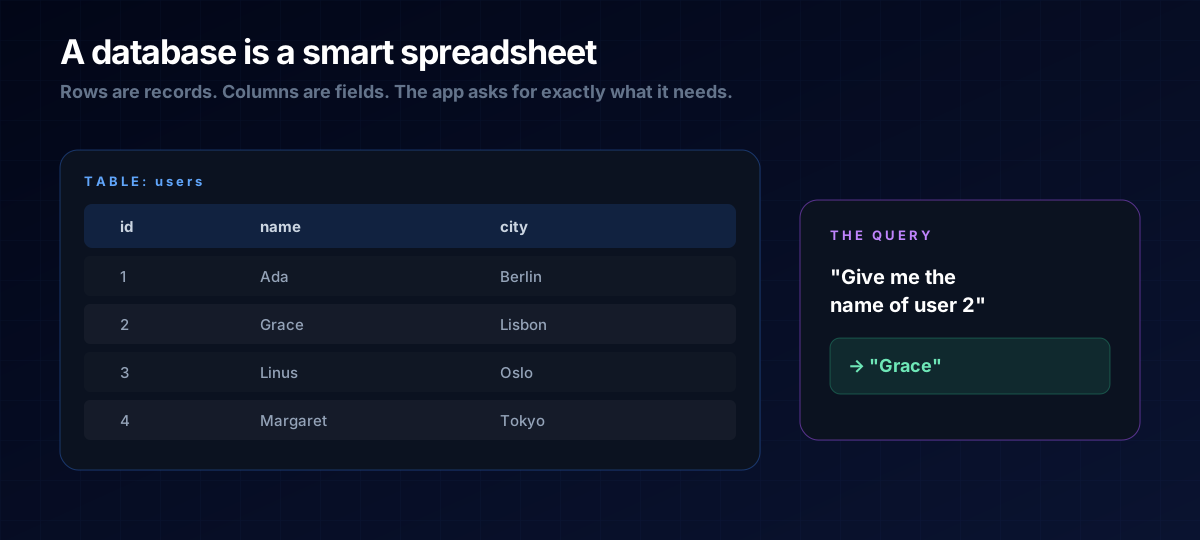
Picture a spreadsheet. Each table holds one kind of thing (say, "users"). Each row is one record (one user). Each column is a field they all share (name, city, email). That's 90% of what a database is.
The difference from a real spreadsheet is speed and precision. A database can hold millions of rows and answer a pointed question instantly: "What's the name of user number 2?" → "Grace." That request is called a query.
Why Not Just Use a Spreadsheet?
For tiny projects, a simple file sometimes is enough. But databases shine when many people use your app at once, when you need to find one record among millions, or when data must stay consistent and safe. They're built to be queried by code, reliably, all day long.
THE ONE-LINE VERSION
A database is structured storage — tables of rows and columns — that your app can ask precise questions of and get exact answers back.
How It Connects to the Rest
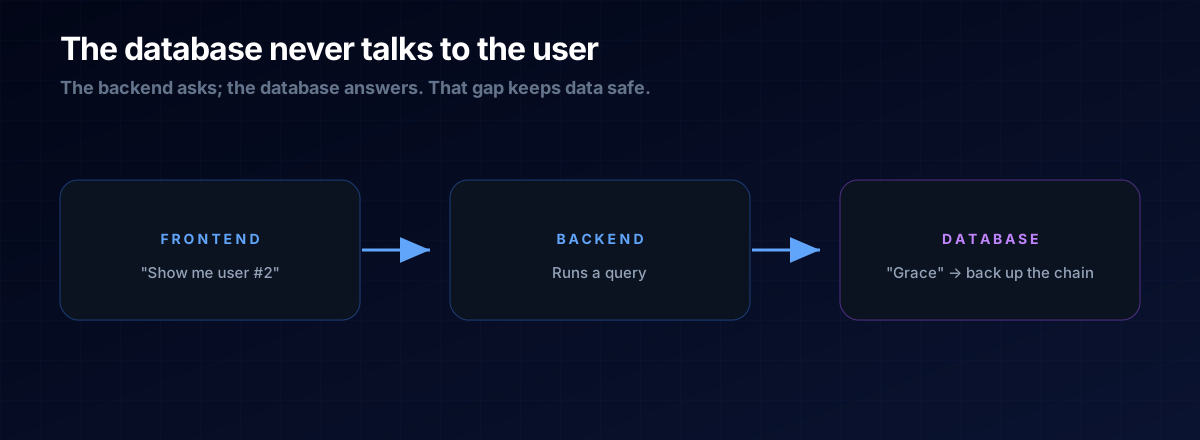
The database sits at the far end of the chain. Your frontend asks the backend for something; the backend runs a query against the database and sends the result back. The database never talks to the user directly — that separation is what keeps your data safe.
Vibe Coder's Shortcut
You rarely set up a database from scratch by hand anymore. Modern tools give you one with a few clicks, and an AI can write the queries for you. What you need is the mental model: "this data lives in a table; I want these rows." Say that, and the AI handles the rest.
A: Not much, at first. SQL databases use neat tables (great for most things); NoSQL ones are more flexible for messy data. For a first project, pick whatever your tool defaults to and move on.
A: On a server, alongside or near your backend — never in the browser. That's why a database is part of the invisible, protected half of an app.
The Prompt Template
Give the AI the mental model and let it handle the SQL:
Store <thing> in a database table with these columns: <list>.
Then write the query to get <which rows>.
Explain the table design in plain English before the code.
Next Steps
A directory of local businesses is a database project at heart. See it in action in the Local Authority Directory blueprint, or revisit Frontend vs Backend to see the full picture.