What Is a Build, Actually?
A build is the kitchen that turns your raw ingredients (code) into a finished dish (files the internet can serve).
You vibe-coded something, it runs on your screen, and you're thrilled. Then you try to put it online and a robot voice says "build failed." This is the moment most non-techies get stuck — not because they did anything wrong, but because nobody told them there's a step between writing code and putting it on the internet. That step is the build, and once you picture it, the error messages stop being scary.
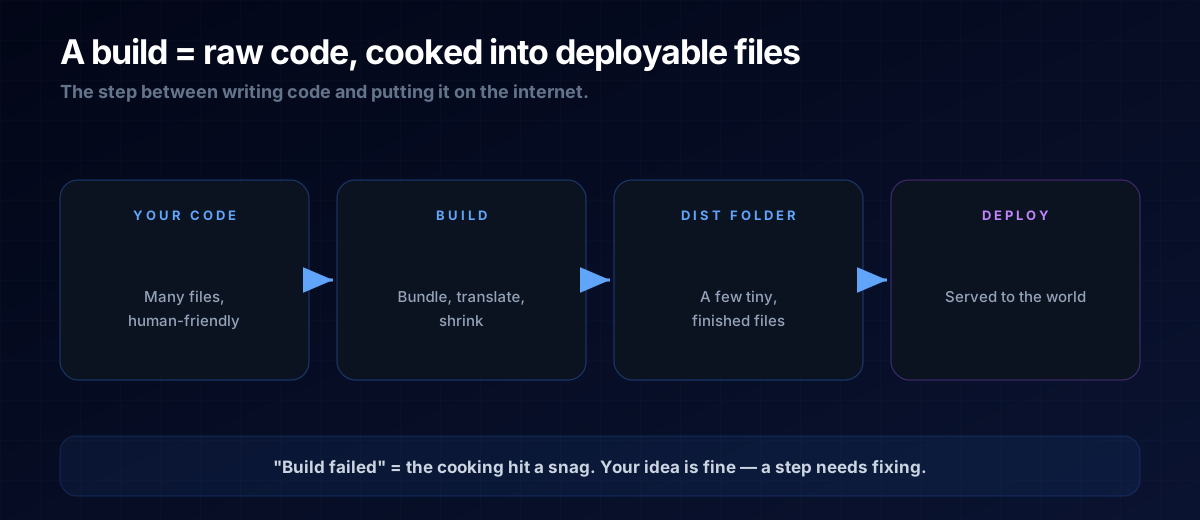
The Kitchen Analogy
Your source code is a pile of raw ingredients: lots of files, written in ways that are convenient for humans (and AI) to edit. A browser visiting your live site doesn't want raw ingredients — it wants the finished dish, plated and ready to eat.
The build is the kitchen. It takes all your ingredients and does the cooking: it bundles dozens of files into a few, translates modern code into something every browser understands, strips out whitespace to make files tiny, and produces a neat folder (often called dist or build) of ready-to-serve files. That folder — not your original code — is what actually goes online.
Why It Works on Your Screen but Not Online
When you run your project locally, a friendly development server cooks each dish on demand and forgives small mistakes. A real server is stricter: it expects the finished folder, and it won't improvise. So a project can run perfectly in development yet fail to build — usually because of a missing ingredient (a package not installed), a typo the dev server tolerated, or a setting that only exists on your machine.
THE ONE-LINE VERSION
A build is the step that turns your editable source code into the optimized files a server can serve. "Build failed" means the cooking step hit a problem — not that your idea is broken.
The Words You'll See
- Build — the cooking step itself (often the command
npm run build). - dist / build folder — the finished dish: the files that actually go live.
- Dependencies — the ingredients your code needs; if one's missing, the build fails.
- Static vs. server — some builds produce plain files (a static site); others need a running server.
The Prompt Template
When a build fails, don't panic-paste. Give your AI the whole picture — the command, the full error, and what you want:
My build is failing. Here's the exact command I ran and the
FULL error output (pasted below).

1. Explain in plain English what the error is actually saying.
2. Tell me the most likely cause.
3. Give me the exact fix, step by step.
Don't change anything unrelated to this error.

Command: npm run build
Error:
<paste the entire error here>A: No. A plain HTML page can go online as-is. But most modern apps your AI generates use tools that require a build to produce the final files.
A: Either on your own machine, or automatically on your hosting platform (like Netlify or Vercel) every time you push new code. Same cooking step, different kitchen.
Next Steps
A successful build gives you a folder of finished files. Now they need a home on the internet — read Hosting, Domain & DNS to get them online, or see how it all fits together in The Micro-Tool Empire blueprint.