How to Brief an AI (Not Script It)
Stop writing rigid prompt scripts. Give the AI a clear brief and the freedom to solve it, then verify the result.
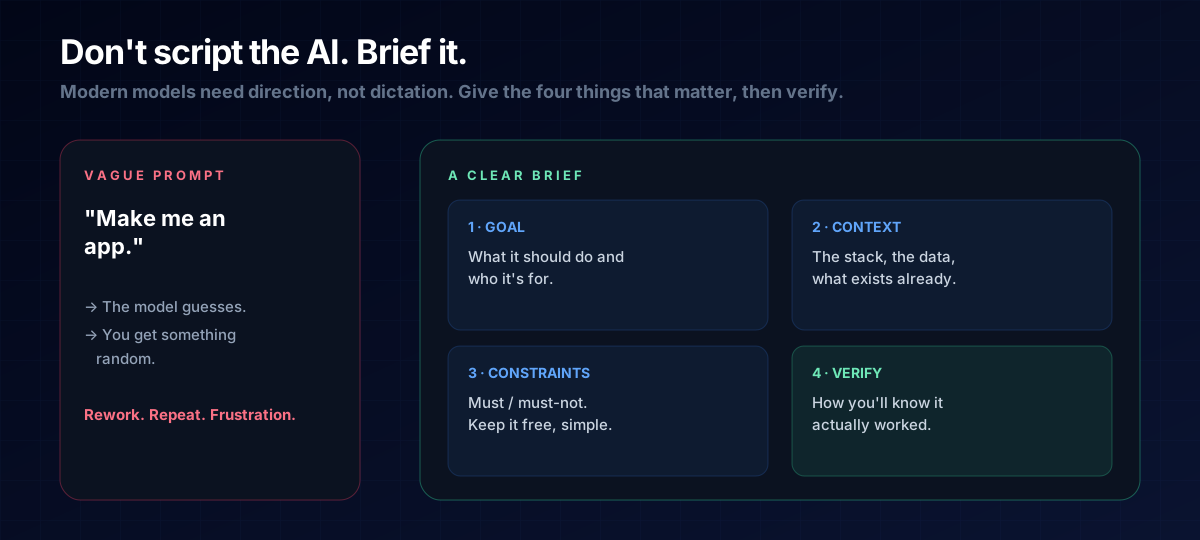
There's an outdated belief that vibe coding means hoarding the "perfect prompt." It doesn't anymore. As models have gotten better, they need direction, not dictation. The skill that lasts isn't memorising magic words — it's writing a clear brief, the way you'd hand work to a sharp new teammate.
Why Rigid Prompts Age Badly
Locked-down, word-for-word prompts were a workaround for weaker models that needed hand-holding. Capable models now fill gaps sensibly on their own — so an over-specified script often fights the model and ages the moment tools or interfaces change. A brief, by contrast, describes the destination and lets the model choose the road. That's why this approach stays evergreen.
The Four-Part Brief
Whatever you're building, give the AI these four things and you'll get far better results than any "ultimate prompt":
- Goal — what it should do and who it's for. ("A tip calculator for restaurant diners on their phone.")
- Context — the stack, the data, and what already exists. ("Single HTML page, no backend, vanilla JavaScript.")
- Constraints — the must and must-not. ("Free to run, works offline, no libraries.")
- Verification — how you'll know it worked. ("I can enter a bill and tip %, and it shows the total per person.")
THE ONE-LINE VERSION
Give the AI a goal, the context, the constraints, and a way to verify — then let it solve. Direction beats dictation.
Then Verify, Don't Trust Blindly
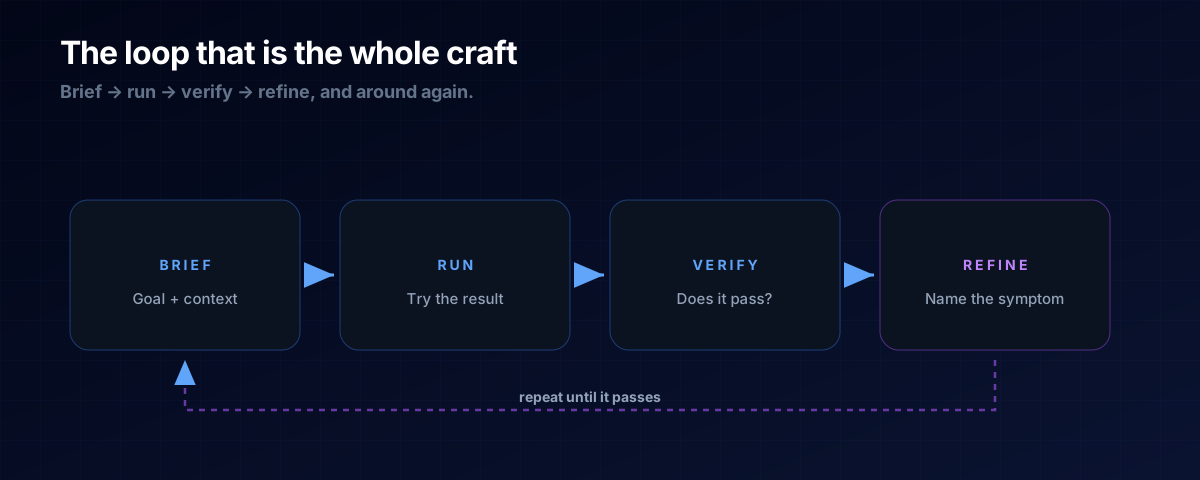
The brief isn't done when the code appears — it's done when it passes your verification check. Run it, look at it like a user would, and if it's off, describe the symptom plainly: "the total is wrong when the tip is 0." That conversational loop — brief, run, verify, refine — is the entire craft of vibe coding.
It helps to know the rough shape of what you're building. A quick read of Frontend vs Backend lets you give better context, and understanding APIs tells you when to ask the AI to connect to an outside service.
A: Yes — one good example of the desired output is worth a paragraph of description. Just don't try to script every step; show the destination, not every footfall.
A: Treat it like a teammate. Tell it the specific symptom and what you expected, and ask it to fix that one thing. Small, precise corrections beat starting over.
The Prompt Template
Copy this four-part brief and fill in the blanks — it works for almost anything you'll ask an AI to build:
Goal: <what it should do and who it's for>.
Context: <the stack, the data, what already exists>.
Constraints: <the musts and must-nots>.
Verification: <how I'll know it worked>.
Build this, then tell me how to check it.
Next Steps
Put the four-part brief to work building a real, income-generating tool in the Micro-Tool Empire blueprint.