Frontend vs Backend: What's the Difference?
Every app is split into the part you see and the part you don't. Understand both and you can direct an AI to build either with confidence.
If you've ever heard developers say "frontend" and "backend" and quietly nodded along, this is the article that makes it click for good. It's the single most useful mental model in web development — and once you have it, briefing an AI to build things gets dramatically easier.
The Frontend: Everything You Can See
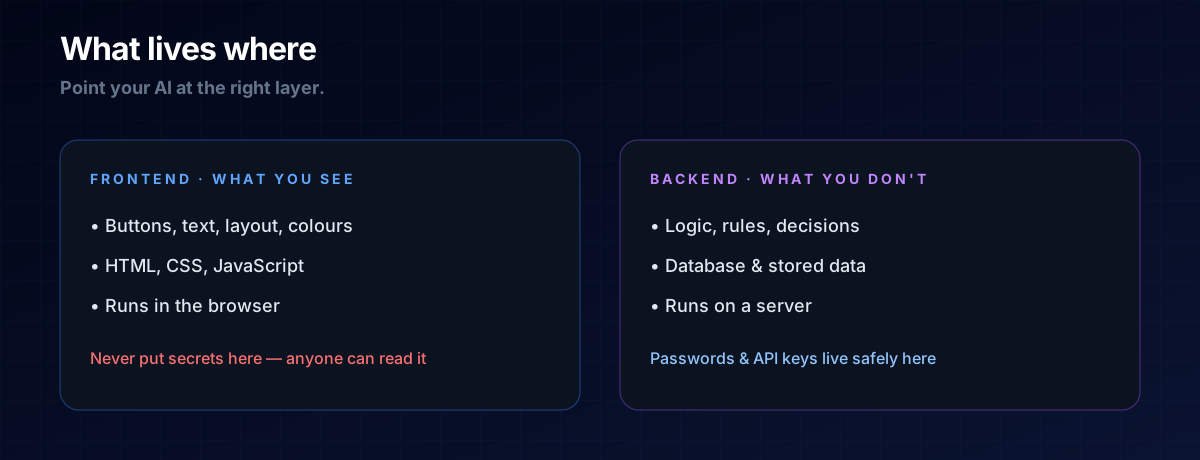
The frontend is the part of an app that lives in your browser. It's the buttons, the text, the colours, the layout — everything you look at and click. When you scroll this page, that's the frontend doing its job.
It's built from three classic ingredients: HTML (the structure), CSS (the styling), and JavaScript (the interactivity). You don't need to master them by hand to vibe code — but knowing the frontend is "the visible layer" tells you exactly where to point your AI when something looks wrong.
The Backend: Everything You Can't
The backend is the part that runs on a server, out of sight. It holds the logic and the rules: who's allowed to log in, what happens when you submit a form, how a price is calculated. It's the brain making decisions the user never sees.
The backend is also where your data is stored and protected — usually in a database. Secrets like passwords and API keys live here, never in the frontend, because anyone can peek at frontend code.
How They Talk: The Handoff
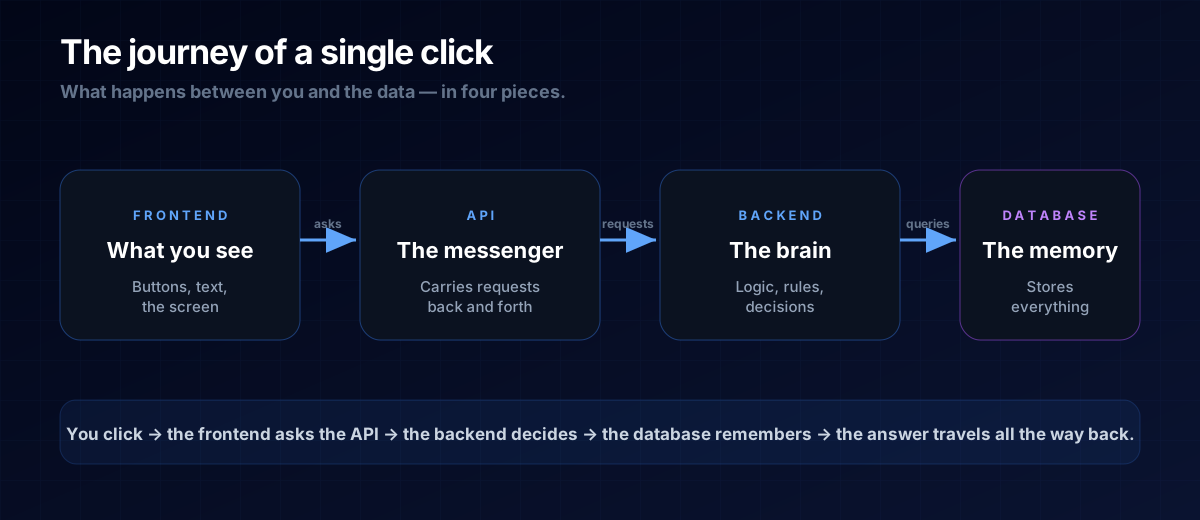
The frontend and backend are two separate worlds, and they communicate through an API — a messenger that carries requests one way and answers back the other. You click "Save"; the frontend sends that request to the backend; the backend updates the database and replies "done." That round trip is the heartbeat of almost every app.
THE ONE-LINE VERSION
Frontend = what you see. Backend = what thinks and remembers. The API is how they talk.
Why This Matters When You Vibe Code
When you give an AI a fuzzy instruction like "it's broken, fix it," it has to guess. When you say "the frontend button doesn't trigger the save — check the request it sends to the backend," you've cut the problem in half. You're speaking the language of the system.
Many small, profitable projects are frontend-only — a calculator or generator that runs entirely in the browser with no backend at all. Knowing the split helps you choose the simplest thing that works, which is the whole game in micro-tools.
A: No. Plenty of useful tools are frontend-only and need no backend at all. Start there, and add a backend only when you truly need to store or protect data.
A: Yes. "Full-stack" simply means working across both layers. As a vibe coder, you can be effectively full-stack by understanding the roles and letting the AI handle the syntax.
The Prompt Template
Naming the layer turns a vague request into a precise one:
Build the FRONTEND only: <what the user sees and does>.
No backend yet — keep it a single page that runs in the browser.
If it later needs to store or protect data, tell me what
backend I'd add and why.
Next Steps
Now that you know who talks to whom, learn how they talk: read What Is an API, then see where the data lives in What Is a Database.