From Idea to Running Starter in Two Minutes
Click your stack, download a runnable zip, npm install. The boilerplate is done before you write a line.
The hardest part of building anything isn't the idea — it's the blank page. Before you can ask the AI to build your feature, something has to exist: a framework, a place to store data, a way to log people in, the API keys wired up. That setup is where most first projects quietly die. So we built a tool that does it for you. Click your stack, download a project that already runs, and start building the part you actually care about.
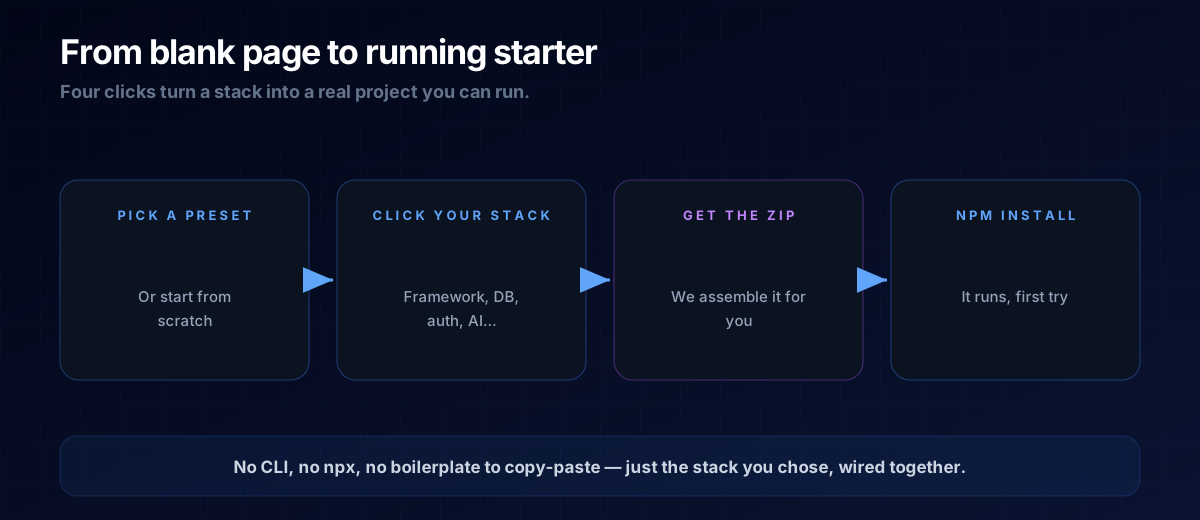
What "Boilerplate" Actually Means
Every app starts with the same unglamorous plumbing: a project folder, a framework installed, a database connected, login working, environment variables in the right place. None of it is your idea — it's the foundation every idea needs. Experienced developers keep a starter template around so they never write it twice. You don't have one yet, and writing it by hand means fighting config files before you've built anything real.
The Stack Configurator is that starter template — except you assemble it by clicking, not by copying someone else's repo and hoping the pieces fit.
Twelve Choices, One App That Runs
You pick from twelve categories. Each option is a real, tested module, and any combination you choose installs cleanly — we wired the pieces together so they don't fight each other.
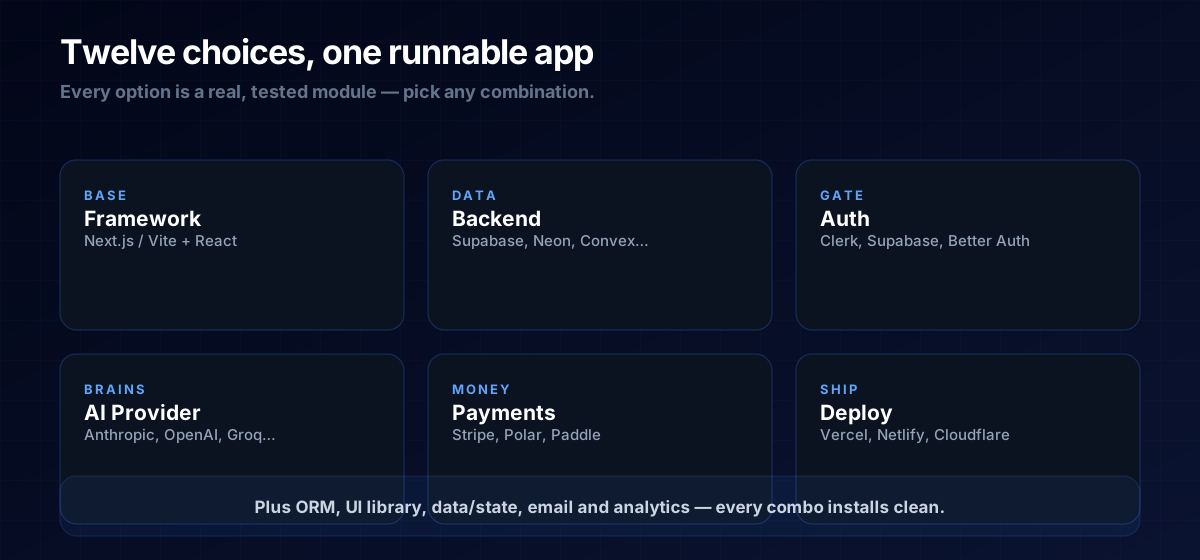
Not sure what half of those words mean? That's fine — that's what the learning journey is for. Frontend vs backend, what a database is, and what an API is all unpack the choices in plain English. You can also just load a preset and learn the parts as you go.
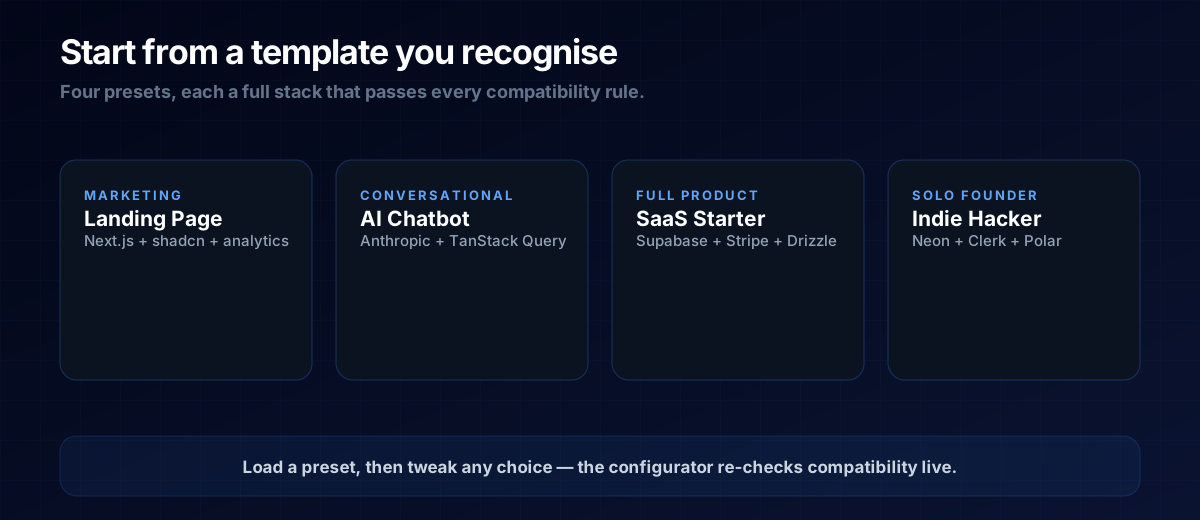
Start From a Template You Recognise
If choosing twelve things from scratch feels like a lot, don't. Start from a preset — a full, sensible stack for a common goal — then change anything you like. The configurator re-checks compatibility live, so you can't accidentally pick two pieces that don't work together.
Why a Zip, Not a Command
Most starter tools make you run a command in a terminal — npx create-something — which assumes you already have a developer's setup and know what a terminal is. We deliberately skipped that. You get a plain zip file: download it, unzip it, open the folder. The only command you run is npm install to fetch the packages, and then it works.
Your API keys aren't baked in, of course — they live in a .env file the starter sets up for you, exactly as covered in environment variables & secrets. Drop your keys in, and you're running.
THE ONE-LINE VERSION
The blank page is the enemy. Click your stack in the configurator, download a zip that already runs, drop in your keys, and start building the part that's actually yours.
The Prompt Template
Once your starter is running, the AI has real context to work with. Point it at the project before you ask for features:
This project was generated with [framework] + [database] + [auth].
The structure already exists and it runs.
Build me [feature] using what's already here — don't re-scaffold.
Tell me which files you changed and why.A: No. You need to make choices, and the presets make those for you to start. Loading the "AI Chatbot" preset and hitting download requires zero code — understanding what you got is what the journey teaches.
A: Real. It's the same foundation a developer would hand-build — installs clean, runs locally, and is ready to take live. You build your idea on top of it.
A: Generate another one — it's free and takes a minute. For a first project, a preset is the safe bet; you can always regenerate as you learn what each piece does.
Next Steps
Generate your starter in the Stack Configurator, then follow vibe code to live app to take it online. When you're ready to build something with a real shot at revenue, the Micro-Tool Empire blueprint gives you the plan.