Every AI app you've ever wanted to build starts in the same place: an empty folder and a wall of setup. Framework, database, login, API keys, deployment config — the plumbing nobody's idea is actually about. It's where most first projects die, not because the idea was bad, but because the blank page won. So we built something to delete that wall entirely.
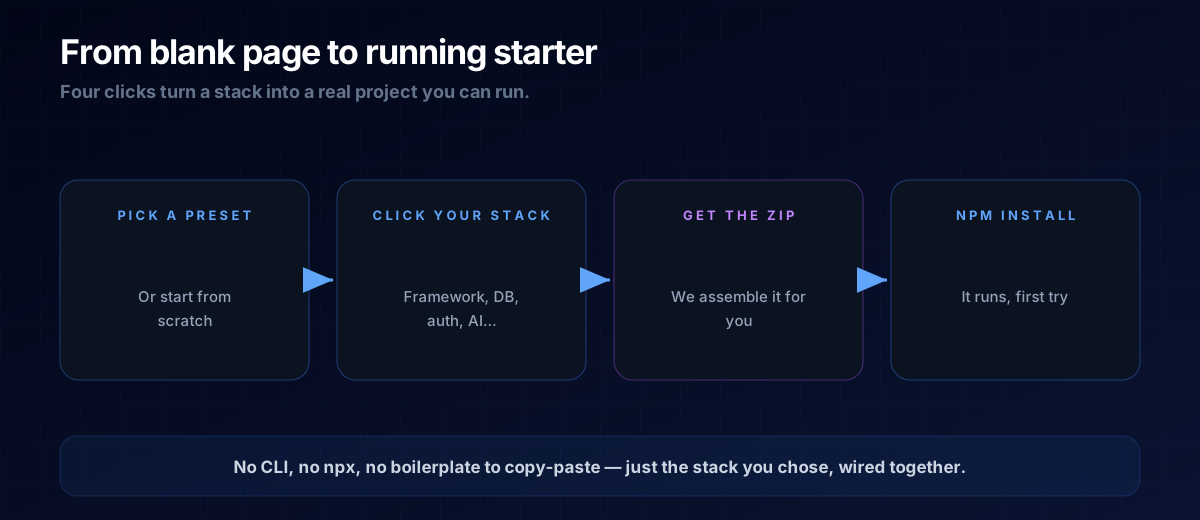
Meet the Stack Configurator: click together the stack you want, and download a real, runnable project. No terminal. No npx create-something. No copying a stranger's repo and praying the pieces fit.
Click, Don't Configure
You choose from twelve categories — framework, backend, auth, AI provider, ORM, UI library, payments, email, analytics, deploy target and more. Every option is a real, tested module, and the configurator checks compatibility live, so you can't pick two pieces that fight each other. Hit generate and you get a plain zip: unzip it, run npm install, drop your keys into the .env file it set up for you, and it runs.
WHY A ZIP, NOT A COMMAND
Command-line scaffolders assume you're already a developer. A zip assumes nothing. Download, unzip, open the folder — that's the entire learning curve.
Start From a Preset
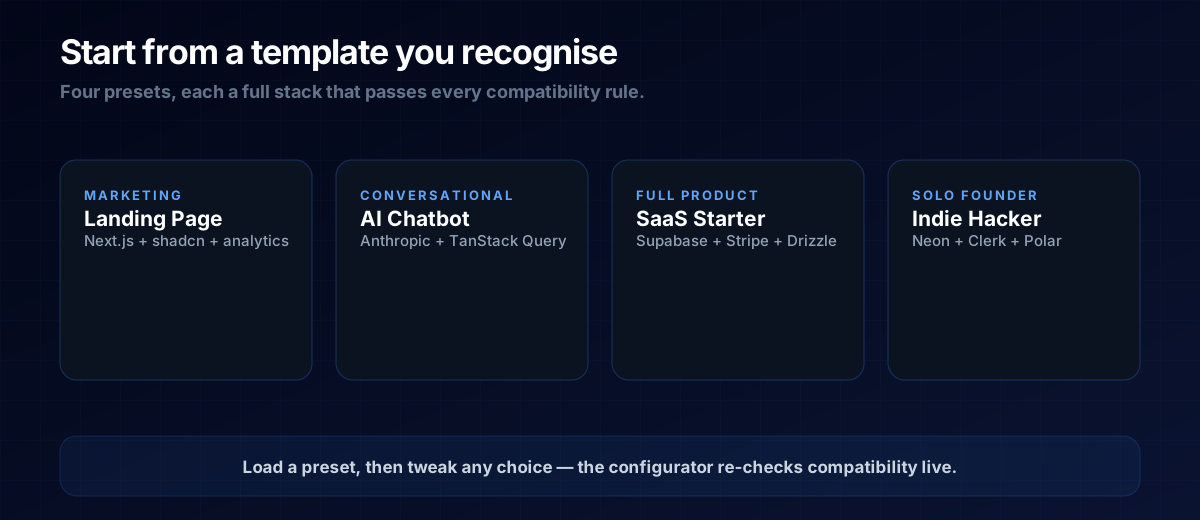
Choosing twelve things from scratch is a lot for a first build, so don't. Start from a preset — a full, sensible stack for a common goal — then change whatever you like.
Want the full walkthrough — what each choice means and how to take the result live? That's in the learn article: From Idea to Running Starter in Two Minutes. Or just open the configurator and start clicking.
The Point
The skill that matters in 2026 isn't writing boilerplate — it's knowing what to build. The configurator hands you the foundation so you can spend your energy on the part that's actually yours. Pick a preset, download your starter, and build the idea you came here with.
Ready to build your own?
Grab a free blueprint and ship your first AI micro-SaaS this weekend.
Explore Blueprints